Information on character limitations and multi-part SMS sent from RMS.
Character Limits
The number of characters that fit in one SMS depends on which characters the message contains.
Standard characters are the letters, numbers and basic punctuation used in everyday English text. Non-standard characters include emoji and other symbols that are not part of the standard SMS character set. A message containing even one non-standard character is sent using a different encoding, which more than halves how much text fits in each SMS.
| Message contains | Single SMS | Each part of a multi-part SMS |
|---|---|---|
| Standard characters only | 160 | 153 |
| Emoji or other non-standard characters | 70 | 67 |
Important! An emoji uses two characters of the available count, not one.
Character Count
The Character Count below the message box shows how much of the limit has been used, which limit is being applied, and how many SMS the message will be sent as.
The count is displayed as the number of characters entered, followed by the limit per SMS, followed by the number of SMS in brackets when the message needs more than one. The number of characters entered turns red once the message no longer fits in a single SMS.
Two examples:
- Character Count 61 /160 is a message of 61 standard characters that fits in one SMS.
-
Character Count 170 /67 (3 SMS) is a message of 170 characters containing an emoji, which is sent as three SMS with 67 characters in each.
The limit shown updates as you type. Removing every non-standard character from the message returns the count to the standard limit.
Please Note! The Character Count applies the reduced limit as soon as one non-standard character is present, no matter where it appears in the message.
Characters That Reduce the Limit
Emoji are the most common cause, but they are not the only one. Curly quotation marks and apostrophes, which are inserted automatically by word processors and email programs, also reduce the limit. Text copied from Word or Outlook often carries them without the writer noticing.
| Reduces the limit to 70 | Keeps the limit at 160 |
|---|---|
| Emoji of any kind | Letters, numbers and spaces |
| Curly apostrophes and quotation marks, as produced by Word and Outlook | Straight apostrophes and quotation marks typed directly into RMS |
| Merge field markers in the template, before the message is sent | Currency symbols, including the pound and euro signs |
Tip! If the Character Count drops to 70 and you cannot see why, retype any apostrophes and quotation marks directly in RMS rather than pasting them in from another program.
Merge Fields and the Character Count
Merge fields are surrounded by markers that are themselves non-standard characters. A template containing a merge field therefore shows the reduced limit of 70 while you are editing it, even when the rest of the message uses only standard characters.
When the SMS is sent, each merge field is replaced by the guest's actual data and the markers are no longer part of the message. If the merged data contains only standard characters, the message is sent against the standard limit of 160.
Please Note! The Character Count in a template containing merge fields is a guide only. It cannot show the final length of the message, because the length of each guest's data is not known until the SMS is sent.
Multi-Part SMS
A message that does not fit in a single SMS is split into parts and sent as a multi-part SMS.
To deliver these segments as one message in chronological order, special hidden characters must be added to the message by the SMS provider.
These linking characters occupy part of each message, so a multi-part SMS holds slightly less text per part than a single SMS: 153 standard characters per part instead of 160, or 67 per part instead of 70 where the message contains non-standard characters.
The guest receives the parts joined together as one message, so the split is not visible to them.
Important! Every part of a multi-part SMS is charged as a separate message. A short message that tips into a second or third part because of a single emoji costs two or three times as much to send.
How Long a Message Can Be
Important! RMS does not stop you creating an SMS template that is too long to be delivered. The Character Count keeps counting past the point at which a message can be sent, and a template over the limit can still be saved without any warning. Check the length of a long template against the guidance below before you use it.
Two limits apply to a multi-part SMS:
- 2,000 characters is the maximum. The SMS provider will not accept a message longer than 2,000 characters. A message over that length is rejected and the guest receives nothing.
- 6 parts or fewer is recommended. Beyond 6 parts, some mobile networks and handsets have difficulty reassembling the parts into one message, so delivery becomes less reliable even though the message is under the 2,000 character maximum.
Six parts works out at roughly the following:
| Message contains | Recommended maximum length |
|---|---|
| Standard characters only | About 900 characters |
| Emoji or other non-standard characters | About 400 characters |
Both limits apply to the message that is actually sent, after merge fields have been replaced with the guest's data. A template that sits under the limit can still exceed it once a long guest name or property name is merged in.
Tip! If a message needs to be longer than the lengths above, send it as an email using a Form Letter, or use Guest Portal Correspondence, rather than stretching it across many SMS parts.
Spaces and Line Breaks
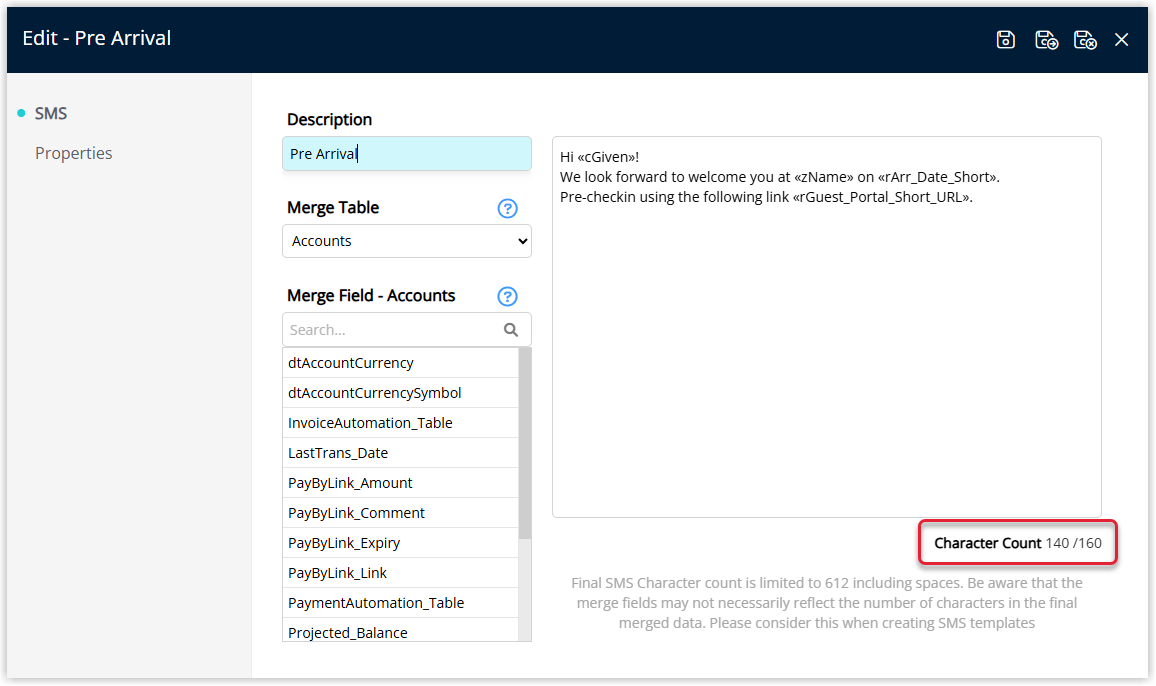
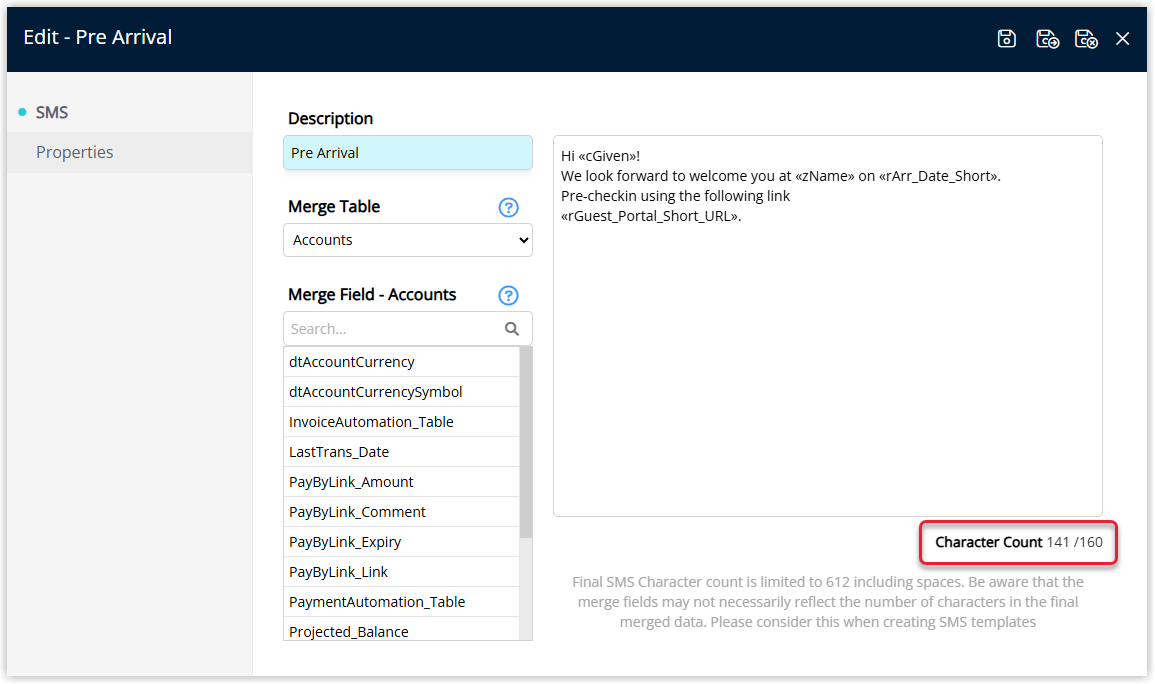
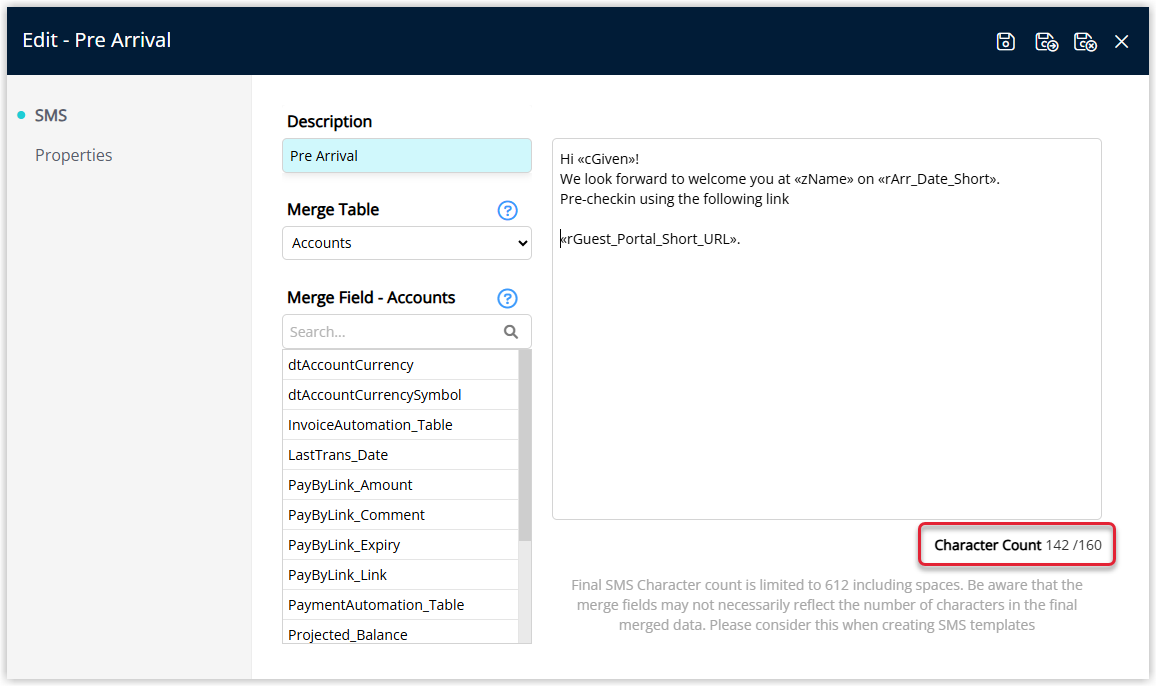
Every character or keystroke entered into the SMS Template contributes to the Character Count.
Spaces count as one character, and Enter will count as one character if going to a new line or two characters if creating a line break.
Example One: Character Count
Example Two: New Line (Enter Once)
Example Three: Line Break (Enter Twice)
International SMS
RMS uses the Country field on the Guest Profile to determine the appropriate Country Code for sending SMS.
If no Country is set on the guest, RMS considers this guest to be local to the Property and uses the Property's Country Code for sending the SMS to the guest.
Tip! To ensure International SMS reaches the intended recipients, select the 'Country of Residence' on the Guest Profile. The field can be enabled in Field Maintenance.
More Information
Using merge fields in SMS can fluctuate the character count further, once the data is merged for sending.
The increase in character count shown when inserting a merge field is for the merge field itself and should be used as a guide only.
Tip! Larger SMS Templates can be assessed for suitability as an email, or reduced to fit the style of the Short Messaging Service.
SMS templates are created and edited at Setup > Correspondence > SMS. See Create an SMS template.
Comments
0 comments
Please sign in to leave a comment.